Home battery backup diagram
Editable home backup template: grid, hybrid inverter and battery keeping the home running during an outage, even without panels. Adapt it online.
What the diagram shows
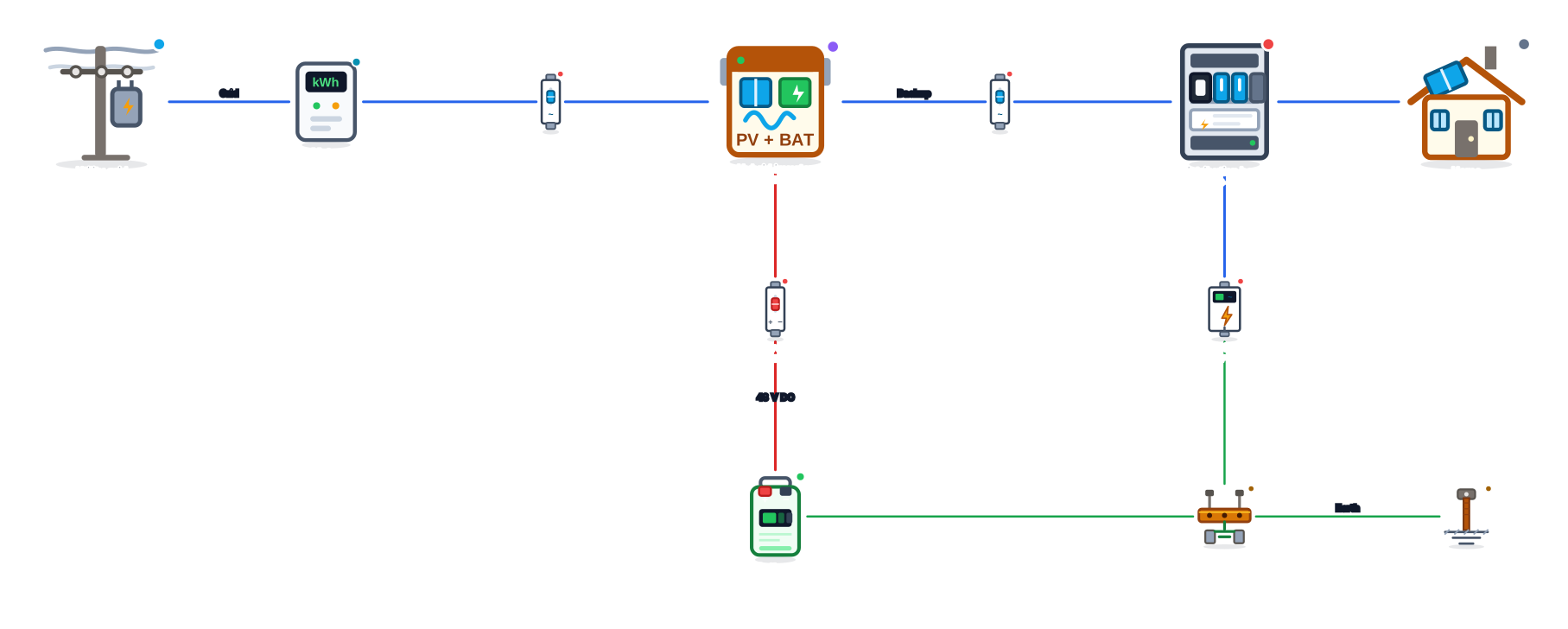
This template shows a home backup system: a hybrid inverter and a battery installed between the utility grid and the home’s distribution board. While the grid is on, the battery is kept charged; when the power goes out, the inverter runs the circuits connected to its backup output from the battery.
The path is utility grid → meter → AC breaker → hybrid inverter → AC breaker → distribution board → home, with the battery connected to the inverter through a DC breaker and the AC SPD in the board. The equipment enclosures go to the earth busbar, connected to the earth rod. Solar panels can be added later, turning the backup into a complete hybrid system.
Diagram components
- Utility gridConnection point to the utility.
- MeterEnergy meter at the connection point.
- 2× AC breakerBreaker for alternating-current circuits.
- Hybrid inverterInverter with simultaneous battery and grid support.
- DC breakerBreaker for direct-current circuits.
- BatteryEnergy storage unit.
- Distribution boardSystem distribution and protection board.
- HomeResidential consumer unit.
- AC SPDSurge protector for alternating current.
- Earth busbarEarth equipotential bonding busbar.
- Earth rodEarth (ground) rod driven into the soil.
How it works, step by step
- Grid normal: the home draws from the grid through the inverter, which keeps the battery charged.
- Power outage: the inverter detects the failure, disconnects from the grid and runs the board connected to the backup output from the battery, provided the model has that function (on some, with an accessory).
- Grid restored: the inverter resynchronizes with the grid and recharges the battery.
- With time-of-use tariffs, some inverters can also charge the battery during cheap hours and use it during expensive ones.
When to choose this template
It is a good option for anyone who suffers from frequent power outages and wants to protect the essential circuits (internet, lighting, refrigerator, gate, pumps), but does not plan to install panels yet. It is also a first step towards a hybrid system: just add panels to the same inverter.
The battery size defines how long the home stays on. The tutorial on battery bank backup time shows how to do that calculation.
Tips to adapt the template
- Add a panel array and a combiner box connected to the inverter to show the upgrade to a hybrid system.
- Split the board into "Main" and "Essential" and connect only the essential one to the inverter.
- Note the battery capacity (kWh) and the estimated backup time in its description.
- Use the label "Backup" on the inverter output to highlight the protected circuit.
Frequently asked questions
Do I need solar panels to have backup?
No. The backup works with just the grid and the battery: the battery is charged from the grid and used when the grid fails. Panels can be added later.
How is it different from a regular UPS?
A UPS protects a few devices for a short time. A home backup with a hybrid inverter powers whole circuits of the board, with larger batteries, and can incorporate solar generation.
Is the switch to battery instantaneous?
It depends on the model. Some hybrid inverters switch in milliseconds, fast enough for computers and routers to stay on; others state about 0.5 s, and some product lines only provide backup with an accessory. Check the transfer time and the requirements in the equipment datasheet.
Edit this template in Editor Solar
The template is already open in the editor below. Move the equipment, change labels, add protection devices and export to PNG, SVG or PDF, free and without signing up.
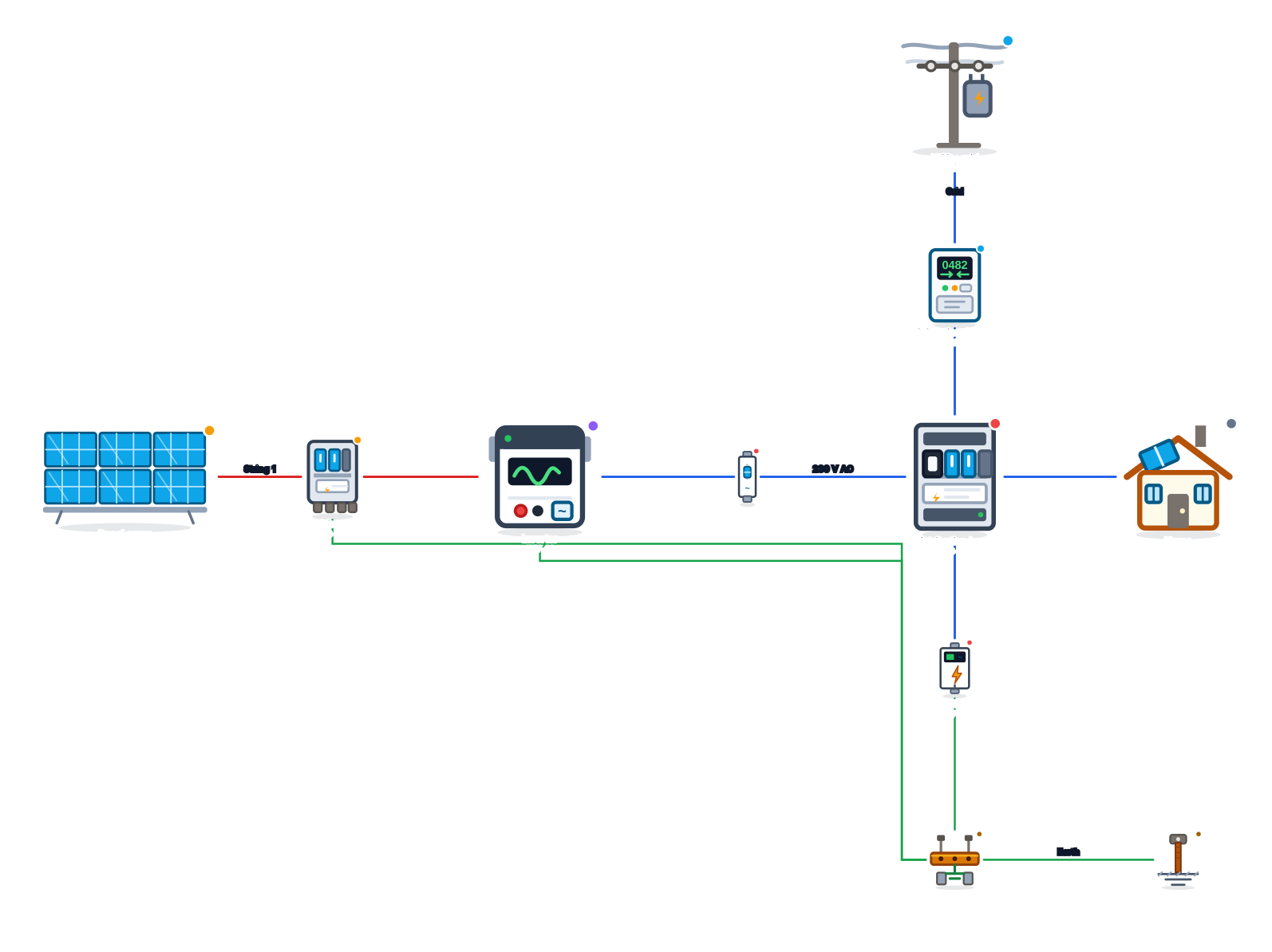 On-grid (grid-tied) solar system diagram
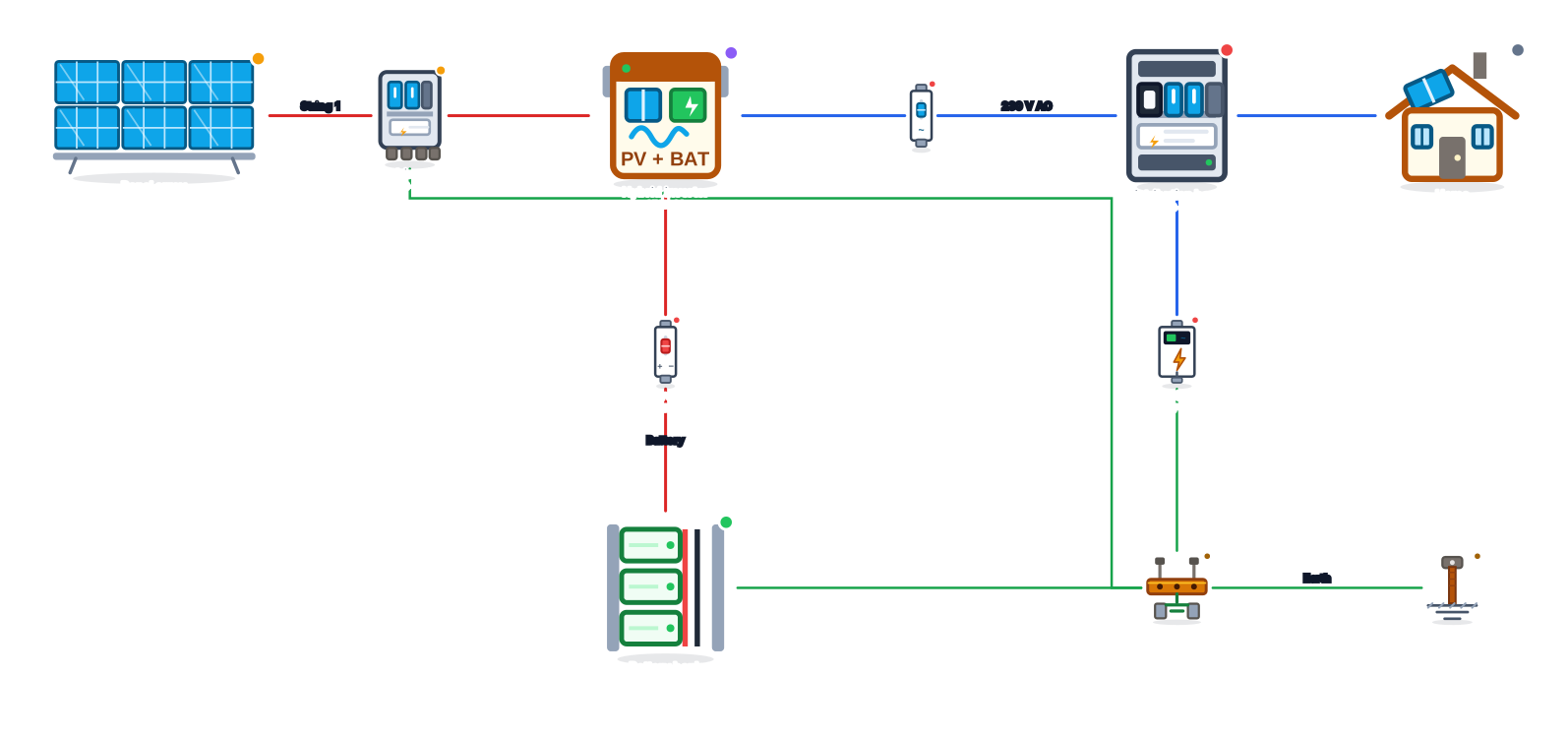 Solar system with battery diagram (no grid)
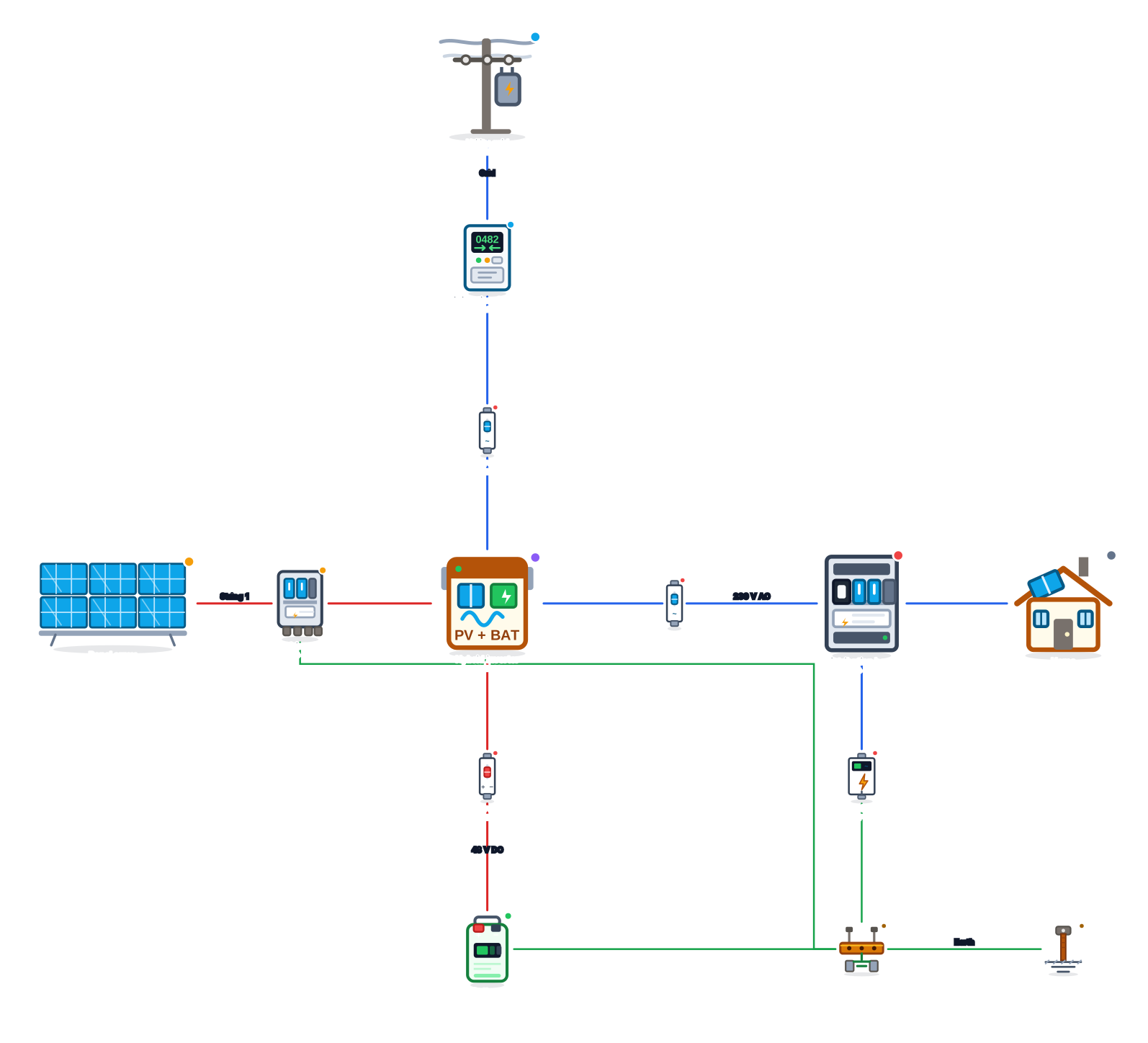 Hybrid inverter with battery and grid diagram
 Off-grid (stand-alone) solar system diagram
 On-grid diagram with microinverters
 Off-grid system with generator and ATS diagram
 Hybrid solar and wind system diagram